
How It Works
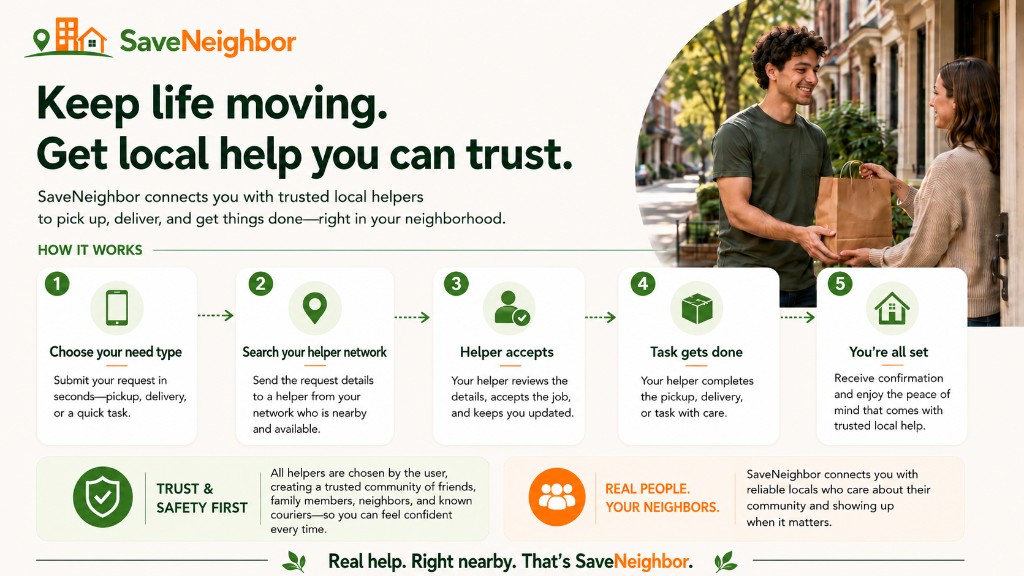
SaveNeighbor is a trusted help network where you request everyday tasks, like pickups, deliveries, and errands — from people you're familiar with, instead of random strangers. With none of the fees of popular services.
Tap or open the graphic to view it larger.
Step 1
Sign up free and build your trusted network
Connect your account with people you trust to help with your deliveries and other needs. Choose your favorite delivery workers from other apps, or connect with your favorite restaurants' delivery network.
And for delivery couriers/helpers, connect your account to build a base of trusted regular customers.
Step 2
Log in and Request a delivery
Enter what you need picked up — where, when, and the tip amount you're offering.
Step 3
Ask someone you trust
Send your request to a trusted courier, friend, family member or neighbor from your network.
Step 4
They accept
Once someone accepts your request, leave the app to place your order.
Step 5
Place your order
Order for pickup using your favorite delivery apps, or call the restaurant or merchant directly. Be sure to pre-pay — ordering for pickup means little to no delivery markups or service fees.
Step 6
Confirm your order and sit tight
Come back to SaveNeighbor, confirm your pickup order is placed and paid. Your helper picks it up and brings it to you.
Step 7
Tip in cash or e-payments
Tip your delivery helper the amount you offered in your request. Either in cash or any shared payment exchange.
Save on fees — with people you trust.