Delivery app fees explained
Why are delivery fees so high?
Because the app isn't just moving food. It's charging for convenience, coordination, access, and control—and you feel it at checkout when a $15 meal becomes $28, $35, or more.
The menu showed one price. Checkout showed another.
That gap is not a mystery—it's a business model.
The receipt problem
Many delivery app checkouts stack line items on top of the food itself. Depending on the app, restaurant, and location, you may see some or all of the following:
- Menu markup — in-app prices that can run higher than direct pickup
- Delivery fee — charged for getting the order to you
- Service fee — a platform charge that may appear under different names
- Small-order fee — on orders below a minimum threshold, on some apps
- Taxes — applied to the subtotal as local rules require
- Tip — often suggested before checkout completes
Each line may be modest on its own. Together, they explain why food delivery can feel so expensive compared with what the restaurant printed on the menu—or what you would pay walking in for pickup.
Not every app charges every fee on every order. Names, amounts, and rules change by market. The pattern is what matters: convenience is priced, and customers often absorb multiple layers at once.
Why restaurants may raise menu prices on apps
Restaurants pay commissions and other platform costs when orders come through third-party delivery apps. To protect margins, many raise the prices you see in the app—sometimes noticeably—compared with direct ordering.
That does not mean every restaurant marks up every item. Some absorb costs differently. Some push prices up on delivery menus only. But if you have ever noticed the same bowl costs more in the app than on the restaurant's own site, you are seeing restaurant menu markups at work.
Customers may not realize the same item can cost less through direct pickup—until they compare receipts.
The platform sits between you and the restaurant
When you order through a delivery app, the transaction runs through the marketplace. The restaurant may lose direct access to the customer relationship—phone number, email, loyalty, repeat behavior.
The next order often routes back through the app by default. Customer loyalty becomes platform loyalty. The restaurant cooks the food, but the app owns much of the connection—and charges for that position.
Platform commissions and marketplace overhead are part of why delivery app fees exist. Someone pays for discovery, payment processing, tracking, support, and dispatch infrastructure. In practice, that cost gets spread across customers, restaurants, and drivers depending on the model.
Drivers are squeezed too
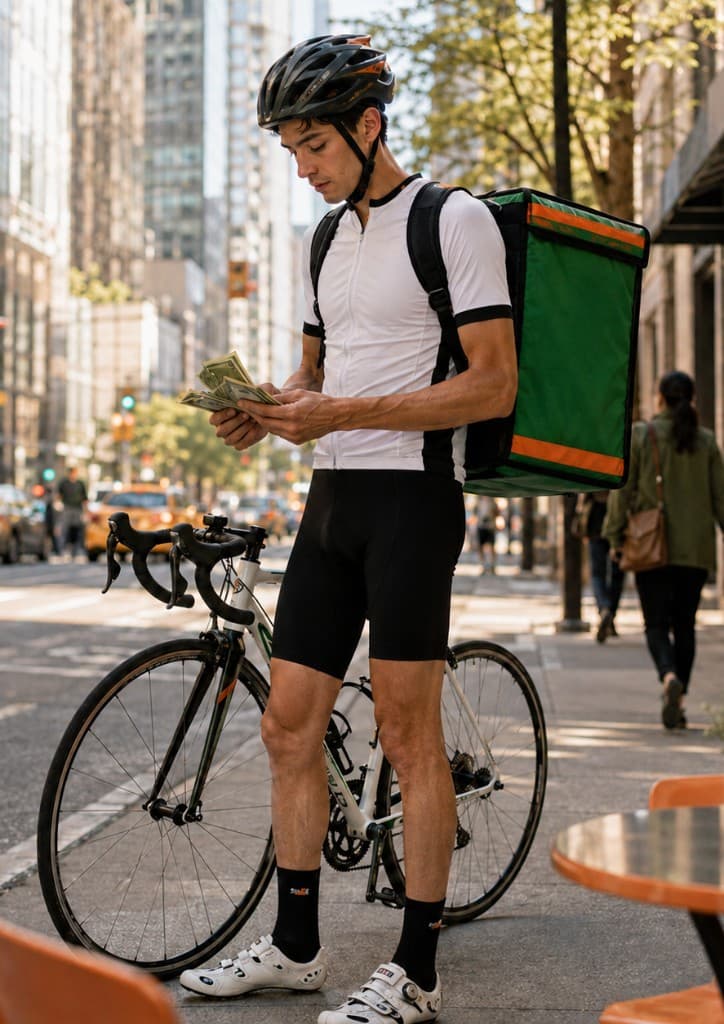
Customers pay more at checkout. That does not mean couriers receive most of the increase. Driver earnings depend on app pay rules, tips, distance, time on the road, demand, and local regulations—often in combinations that are hard to see from the customer side.
Inside dispatch systems, couriers can become interchangeable: good service earns a rating, but the next assignment may still go to whoever the algorithm selects. Repeat relationships rarely carry over unless the customer and driver find a way outside the app.
SaveNeighbor offers trusted helpers and couriers a different path: build repeat relationships, get requested directly, and accept runs that fit—without pretending to replace every gig app or guarantee income.
The real tradeoff
Delivery apps solved real problems. They aren't useless—they are expensive in ways that are easy to miss until you read the receipt.
What apps deliver
- Convenience and on-demand dispatch
- Discovery when you don't know what's open
- Payment, tracking, and support in one place
- Availability from a large courier pool
The tradeoff
- Higher total cost at checkout
- Less direct restaurant relationship
- Random or interchangeable helpers
- Platform dependence for repeat orders
Two models, two receipts
A simplified contrast—not a promise that every order works this way.
Typical app delivery
- Order through marketplace
- In-app menu prices may include markup
- Delivery + service fees often added
- Platform assigns a courier
- Tip through the app
- Restaurant may lose direct customer tie
Direct pickup + trusted helper
- Request someone you trust first
- Order pickup directly after they accept
- Pickup menu prices when available
- No marketplace dispatch fee stack
- Tip your helper directly
- You choose who helps—repeat if you want
A delivery app alternative
What SaveNeighbor changes
SaveNeighbor is not a delivery company. It does not employ drivers or dispatch couriers. It helps you coordinate pickup through people you trust—a different model for certain situations, not a universal replacement for every app order.
The rule: Request first. Order second.
You do not place and pre-pay for pickup until someone in your network has accepted.
Send a delivery request first
Tell your network what you need, where, when, and what you are offering as a tip. No order placed yet.
Someone you trust accepts
Your request goes to people in your SaveNeighbor network—not a random driver pulled from a marketplace pool.
Then place and pre-pay for pickup
Only after acceptance do you order pickup directly with the restaurant or store—often at pickup menu prices, not inflated in-app prices.
Your helper picks it up
They bring it to you. You confirm when it arrives.
Tip them directly
Cash or your usual payment app. The amount you offered—not a platform skimming the middle.
When this works best
Honest expectations matter. SaveNeighbor does not guarantee instant availability. It works best when you already have—or can build—a network of people willing to help.
- Repeat helpers, favorite couriers, neighbors, friends, or family you already trust
- Regular restaurant orders where you know the pickup price is lower than the app menu
- Campus and dorm settings where someone nearby can meet you
- Neighborhood errands and local runs you do often
- Situations where a few minutes of coordination beats paying for full marketplace dispatch
If you need a stranger dispatched in ten minutes with no coordination, a marketplace app may still be the practical choice. If you want to order pickup directly and avoid delivery app fees when someone you trust can help, SaveNeighbor is built for that.
Questions
- Why does my food delivery cost so much?
- The meal on the menu is rarely the full story. Many orders stack platform fees on top of food that may already be priced higher in the app than for direct pickup. Convenience, dispatch, payment, tracking, and marketplace overhead all get folded into what you pay at checkout.
- Do restaurants charge more on delivery apps?
- Often, yes—but not always. Many restaurants raise in-app menu prices to help cover commissions and platform costs. The same item can cost less if you order pickup directly by phone or through the restaurant's own site. It depends on the business and how they price each channel.
- Do delivery fees go to drivers?
- Not entirely, and not in a simple way. Customers may pay more at checkout, but driver earnings depend on app pay rules, tips, distance, time, demand, and local regulations. A higher delivery fee doesn't mean the courier receives most of the increase.
- Can I avoid delivery fees by ordering pickup?
- Pickup can remove or reduce several line items—especially delivery and service fees tied to dispatch. You still pay for the food, tax, and usually a tip if someone brings it to you. SaveNeighbor is built around that model: order pickup directly, then coordinate a trusted helper for the last mile.
- Is SaveNeighbor a delivery app?
- No. SaveNeighbor is not a delivery company. It does not employ drivers, dispatch couriers, or guarantee availability. It helps people coordinate pickup, errands, deliveries, and local help through their own trusted network.
- How does SaveNeighbor help me save money?
- By separating dispatch from the order. You request someone you trust first, then order pickup directly—avoiding delivery fees, service fees, and in-app menu markups. You tip your helper directly instead of feeding a full marketplace stack.
- Why request first and order second?
- So you don't place and pre-pay for food before anyone has agreed to pick it up. That sequence ensures helper availability for your pickup, and avoids wasted orders.
- Is this only for food delivery?
- No. Food pickup is a common use case, but people also use SaveNeighbor for groceries, coffee, pharmacy runs, packages, and everyday local errands—always through people they know or choose to trust.
Fewer surprise line items. More people you trust.
Create your account, build your network, and try a different way to get food delivered when someone you know can help.
Already signed up? Sign in